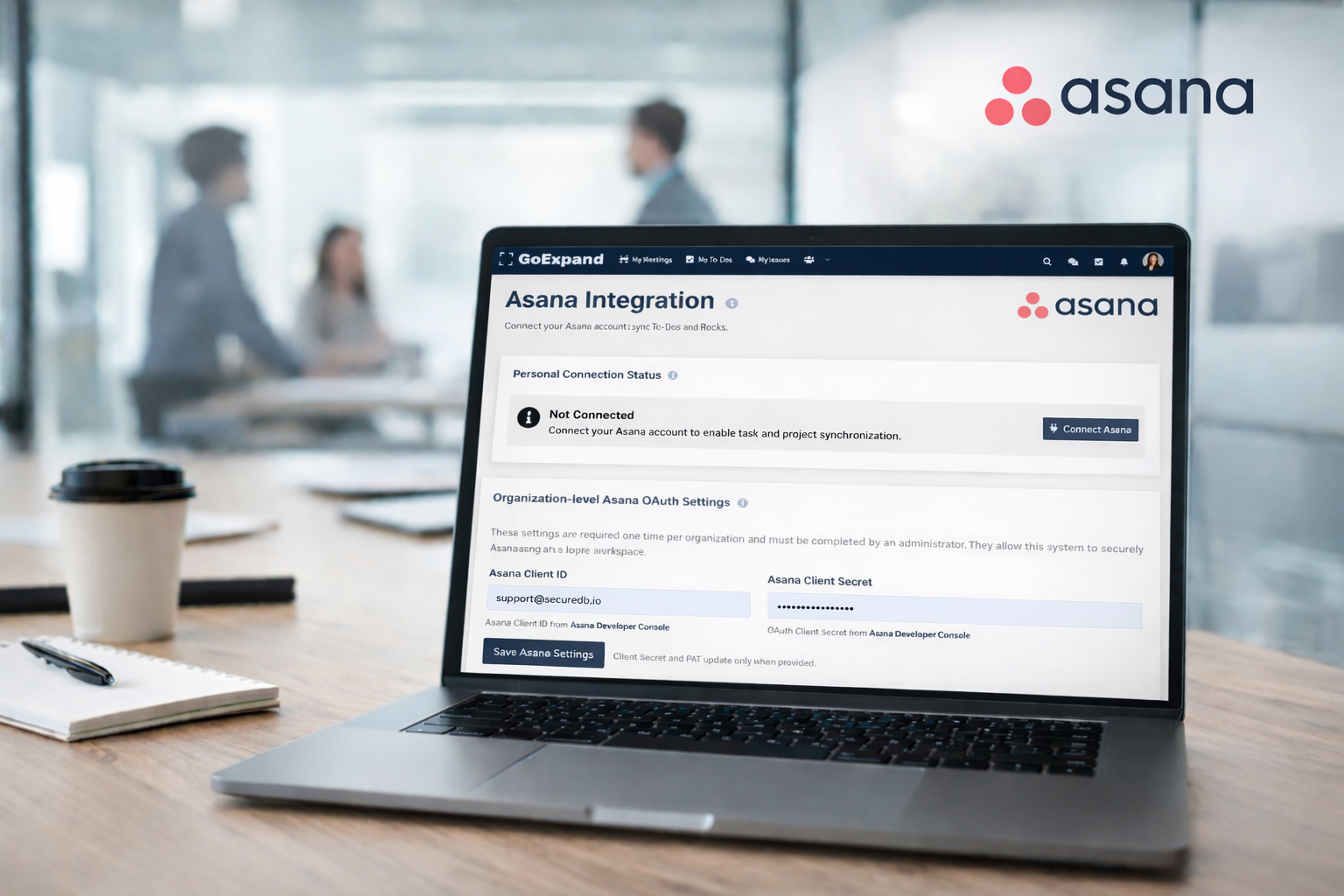
Asana integration displayed inside GoExpand showing synced To-Dos and meeting accountability
Integrating Asana with GoExpand allows your team to connect day-to-day task management with structured meetings and accountability. Instead of duplicating work across platforms, this integration keeps your To-Dos aligned while preserving your team’s existing workflow in Asana.
This guide walks you through why the integration matters and how to set it up.
Why Integrate Asana?
Many teams already use Asana to manage projects and tasks. By integrating Asana into GoExpand, you can:
Sync To-Dos between platforms
Reduce duplicate data entry
Maintain accountability inside Level 10 Meetings™
Connect execution to a structured leadership cadence
Keep performance tracking aligned with active work
The integration ensures that action items discussed during meetings remain visible and trackable without forcing your team to abandon tools they’re already comfortable using.
Setting Up the Asana Integration
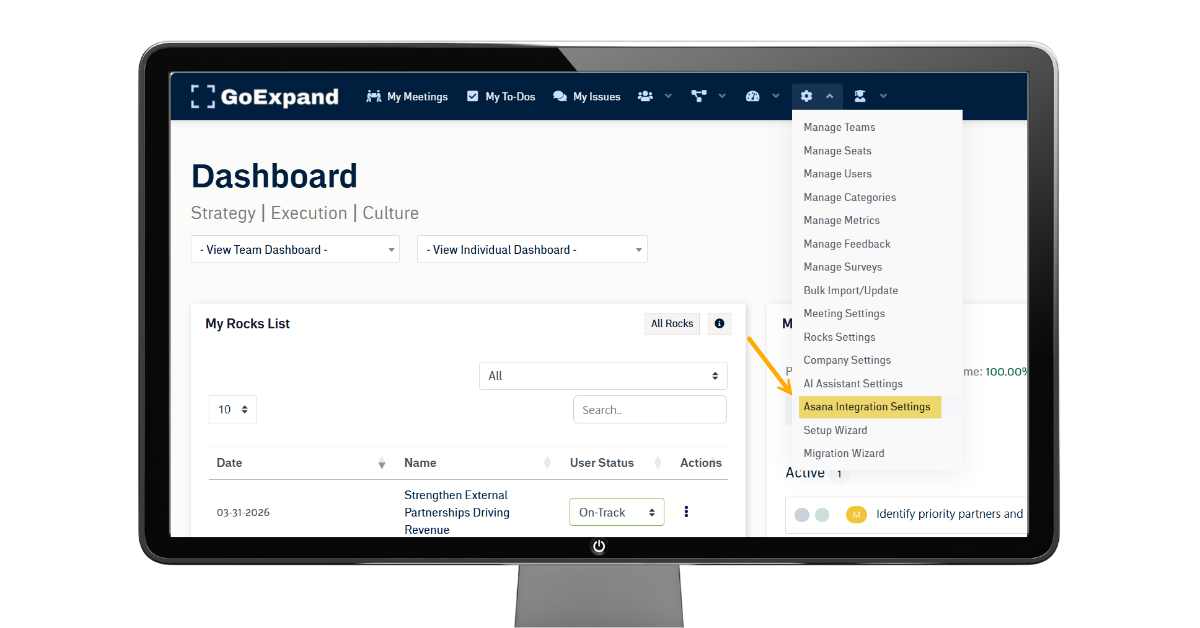
To enable Asana integration:
Navigate to Administration from the top navigation panel.
Select Integrations or Asana Settings (depending on your permissions).
Click Connect Asana Account.
Log in to your Asana account and authorize access.
Choose the workspace or project you want linked to GoExpand.
Once connected, To-Dos created inside GoExpand can sync to Asana, and existing Asana tasks can be linked to meetings or assigned within the platform.
Note: You must have appropriate permissions in both GoExpand and Asana to complete the integration.
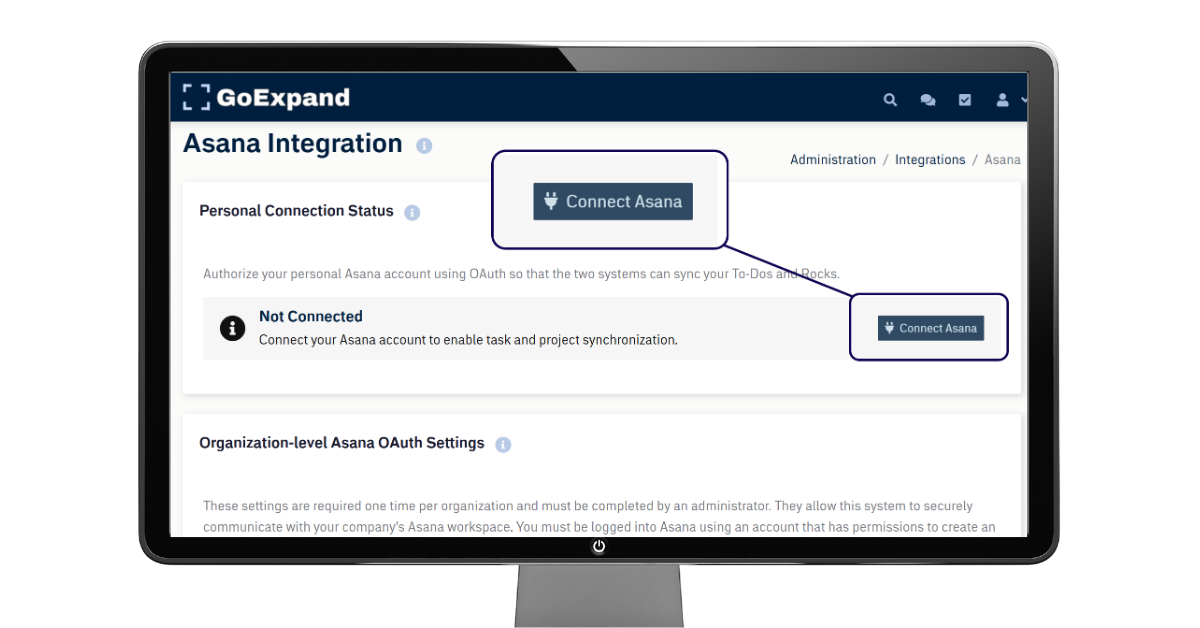
Using Asana Within Meetings
Once integration is active, you can:
Create To-Dos during meetings that sync to Asana
Assign one owner and due dates
Review completion status during your To-Do List section of the Level 10 Meeting™
Maintain accountability without toggling between systems
When action items are created inside a meeting and linked to Asana, they remain visible in your meeting history while also living inside your Asana workspace.
This keeps your Level 10 Meetings™ structured and outcome-driven while ensuring work continues flowing in the system your team already uses.
Best Practices
Decide which platform is your “source of truth” for tasks.
Keep ownership clear (one owner per To-Do).
Review completion weekly during Level 10 Meetings™ to maintain accountability.
Periodically audit integrations to ensure permissions remain active.
Integrating Asana into GoExpand bridges structured leadership meetings with real execution. It reduces friction, improves visibility, and keeps your team focused on moving priorities forward — not managing tools.
>Up Next: GoExpand Admin Features Guide: Advanced Tools for Platform Settings
References and further reads:
Harvard Business Review – Why Strategy Execution Unravels—and What to Do About It
Explains why organizations struggle with execution and how structured follow-through and accountability systems improve results.
https://hbr.org/2015/03/why-strategy-execution-unravelsand-what-to-do-about-it
Asana – The Importance of Work Management Systems
Discusses how integrating work management tools improves clarity, ownership, and productivity.
https://asana.com/resources/work-management
Project Management Integration Best Practices – ProjectManager.com
Explains how project management software and integration practices help coordinate tasks, resources, and execution outcomes.
https://www.projectmanager.com/blog/project-integration-management-a-quick-guide
Task Management Integration Definition – Docsie Blog
Defines task management integration and shows how connecting platforms improves visibility, synchronization, and workflow alignment across teams.
https://www.docsie.io/blog/glossary/task-management-integration/