Welcome to GoExpand! Change is hard — and we get it. Our goal is to provide you and your team with all the information needed for a smooth rollout and a successful start running on EOS®.
This guide is designed for Basic Users to understand the core navigation and everyday tools inside GoExpand.
Getting Started: Dashboard Overview
Once logged in, your GoExpand Dashboard will appear.
Navigation Panel Overview
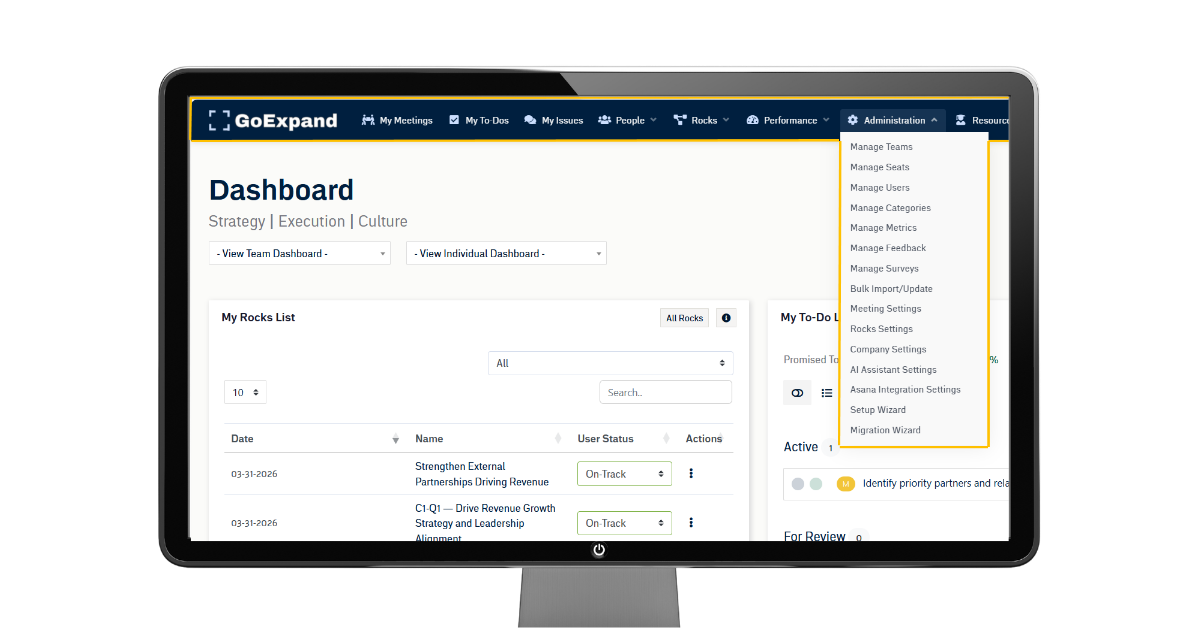
At the top of the platform, you’ll see your Navigation Panel. GoExpand modules and features are assigned based on role permissions and seat-level access within your organization.
Tip: Hover over any navigation item to view sub-pages.
Dashboard
Upon first login, your Dashboard may appear mostly empty. That’s completely normal early on — GoExpand fills in as your team builds and uses the EOS® Tools.
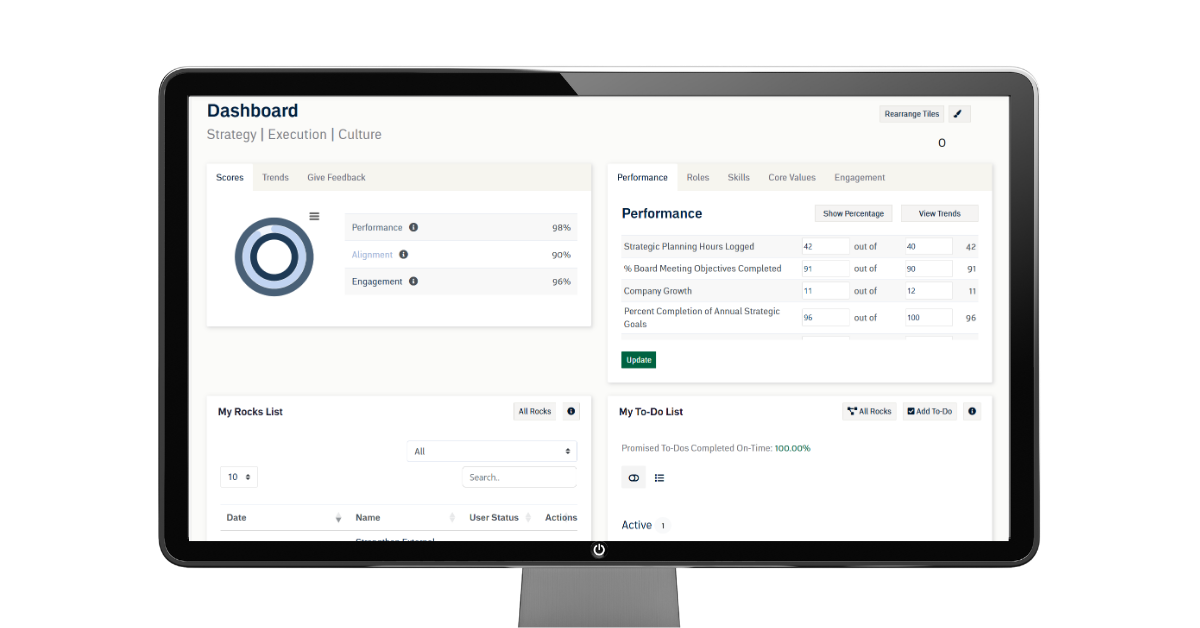
Key areas include:
- Team & Individual Dashboards
- Scorecard (weekly measurables and performance visibility)
- Feedback and engagement insights (optional)
- To-Do List
- My Meetings (including Level 10 Meetings™)
Each user’s Dashboard can be customized using the Paint Brush icon in the top-right corner.
My Meetings
You can access all meetings through My Meetings, found on the main Dashboard or via:
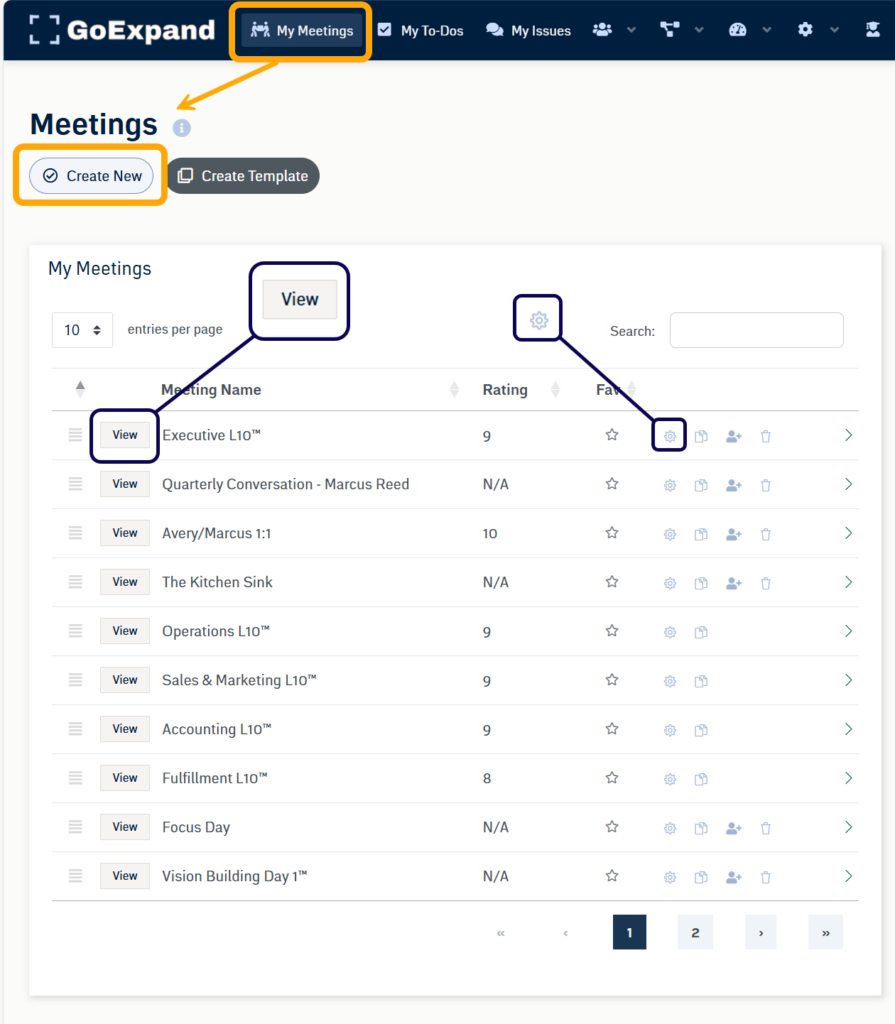
Meetings → My Meetings
This is where you will participate in structured meetings, including weekly Level 10 Meetings™, built around the EOS® Meeting Pulse™.
Tasks / To-Dos
Your To-Do List can be found on your Dashboard or in the Navigation Panel under Tasks.
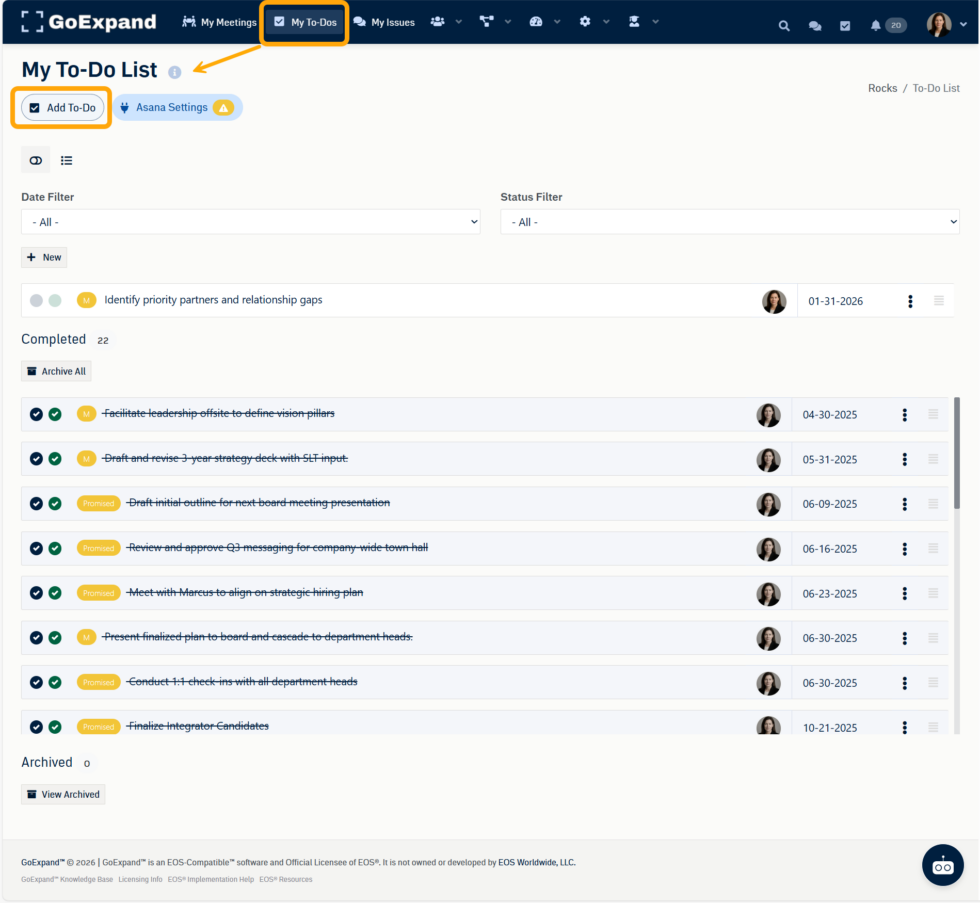
From here, you can:
- View all assigned To-Dos
- Mark items complete
- Track accountability and due dates
- Add new To-Dos (if permissions allow)
- Access optional integrations like Asana
The Accountability Chart™
The Accountability Chart™ is accessed via:
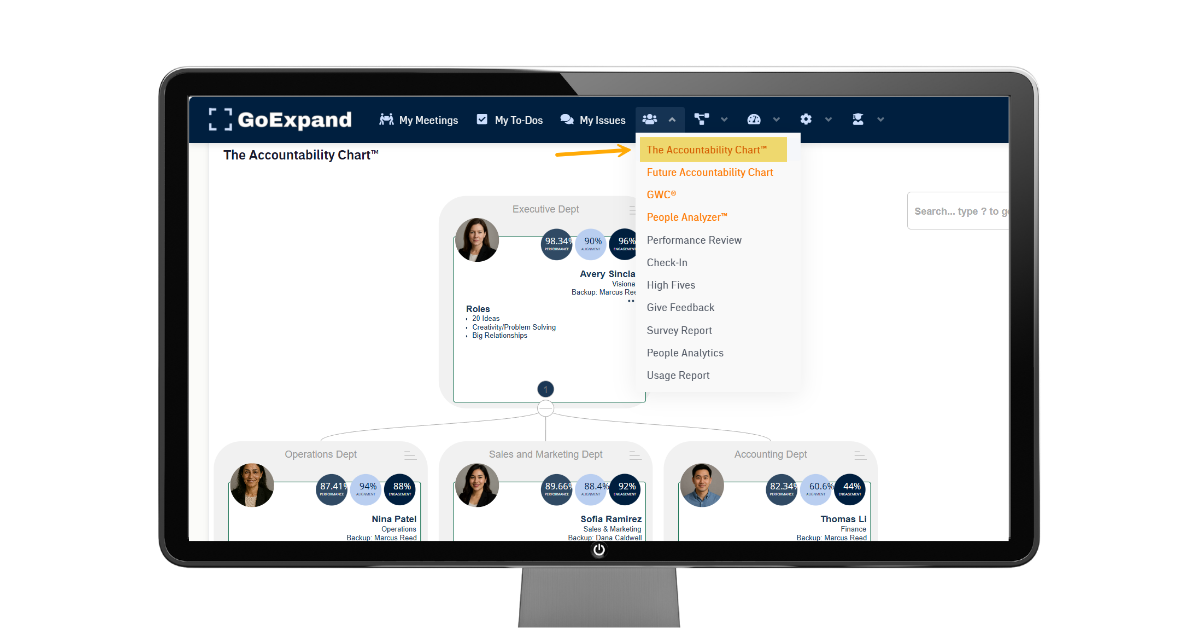
People → Accountability Chart™
This area shows the leadership structure of your organization and clarifies:
- Who owns which seat
- Reporting relationships
- Role accountability within the company
Each user card displays their seat role and key information. Click on a user card to view additional details.
Projects & Execution Tools (Rocks)
To create or access priorities and execution work, navigate to:
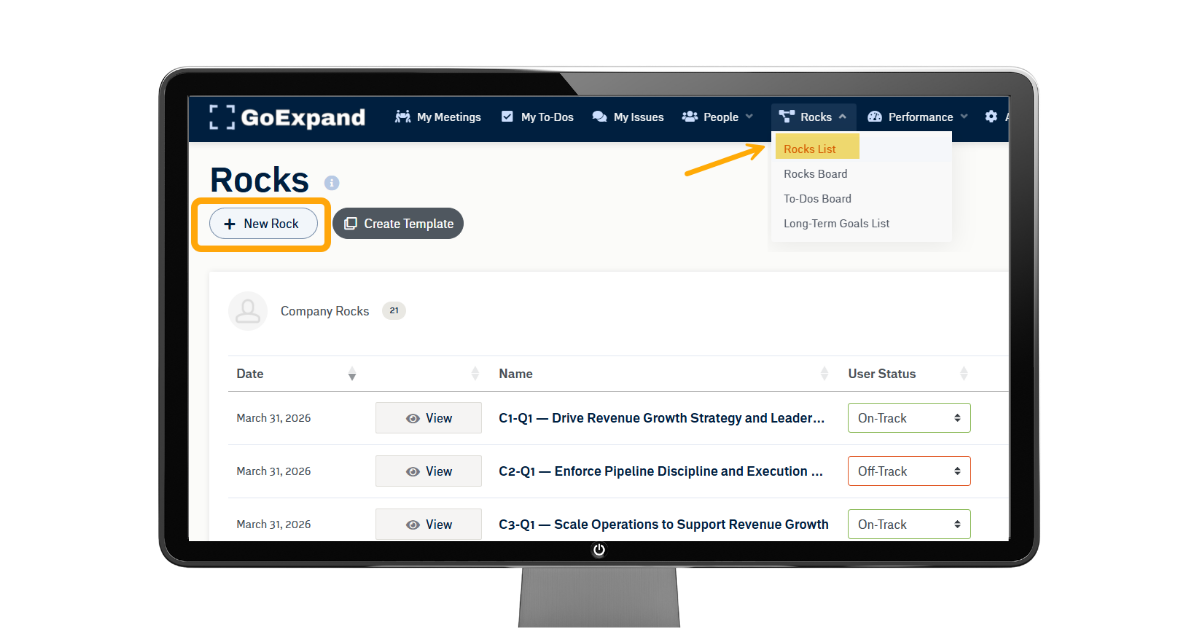
Execution → Rocks
or
Projects → Projects List
This page will display items you have access to as an owner, contributor, or viewer.
GoExpand helps teams connect execution back to quarterly priorities (Rocks) and keep work aligned with the company’s Vision.
You’re Ready to Engage in GoExpand
As a Basic User, your primary focus will be:
- Participating in Level 10 Meetings™
- Completing assigned To-Dos
- Supporting quarterly Rocks
- Staying aligned through the EOS® Meeting Pulse™
Welcome to GoExpand.
Welcome to clarity.
Welcome to Traction®.
See full platform training articles here.
>Up Next: Features, Tips & Tricks in GoExpand
Further reads on the benefits of an EOS
What is EOS? A Guide to the Entrepreneurial Operating System – Guru
A clear explanation of EOS’s six key components and how implementing them promotes clarity, accountability, efficiency, and sustained growth in organizations.
🔗 https://www.getguru.com/reference/what-is-eos
Case Studies: The Impact of EOS in the Food & Ag Industry – 3P Partners
Business case examples showing how EOS implementation improved vision alignment, accountability, issue solving, and growth in real companies.
🔗 https://3ppartners.com/case-studies-the-impact-of-an-entrepreneurial-operating-system-eos-within-the-food-ag-industry/
EOS: An Entrepreneurial Operating System for Business Success – TwentyEighty
Highlights key benefits of EOS, including improved clarity, accountability, focus, and problem-solving that can lead to smoother operations and increased effectiveness.
🔗 https://www.twentyeighty.co/post/eos-an-entrepreneurial-operating-system-for-your-business-success