Access the Accountability Chart™
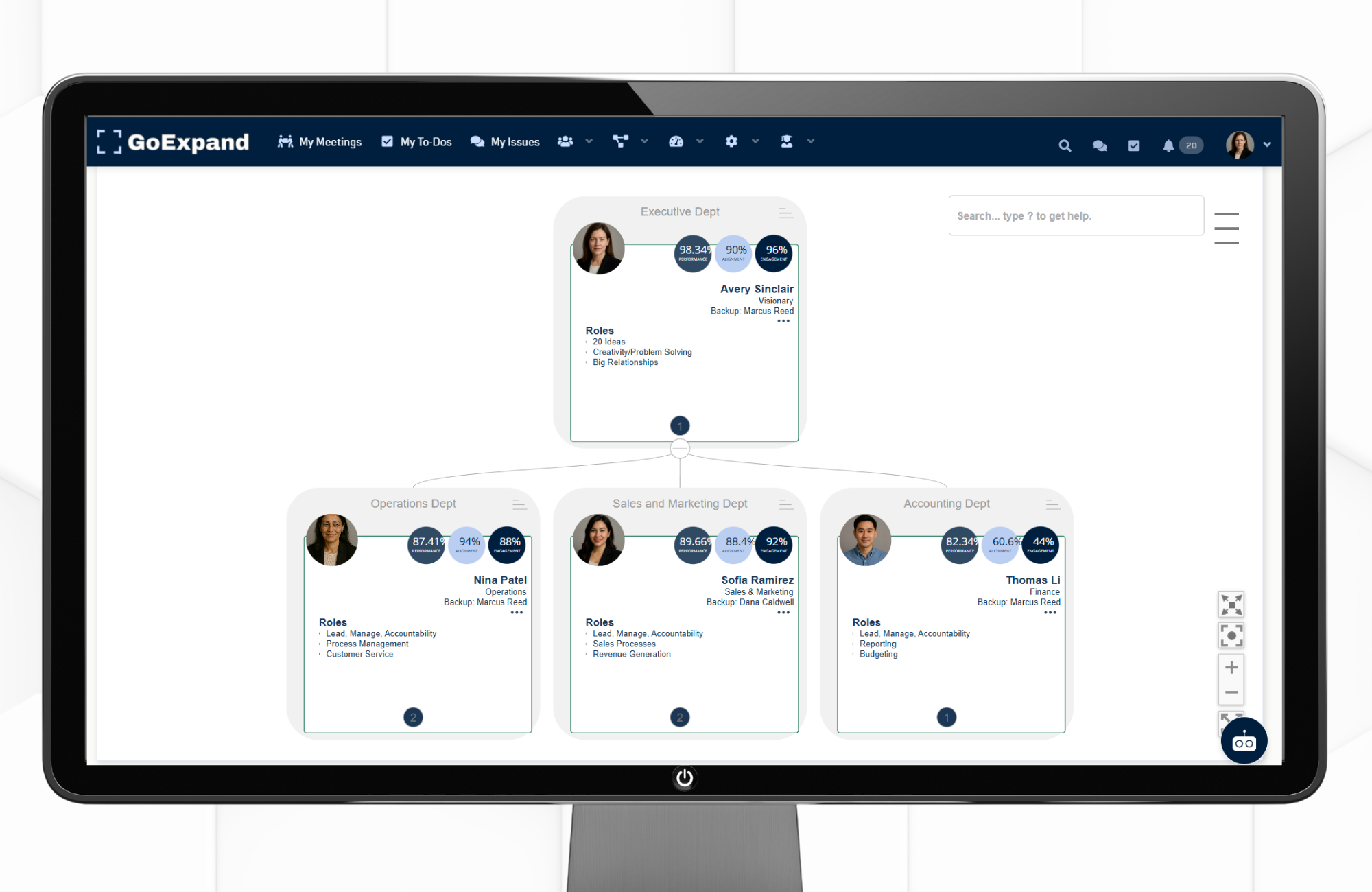
The Accountability Chart™ in GoExpand provides a clear, visual breakdown of how your organization is structured. It defines Seats, responsibilities, and reporting relationships so every team member understands exactly what they own.
As demonstrated in the video , this tool is designed to eliminate ambiguity, improve alignment, and strengthen execution within your EOS® framework by making accountability visible and actionable.
To access the Accountability Chart™ from the main navigation panel:
People → Accountability Chart™
Once inside, each team member appears as a tile on the chart.
Click the three dots ( … ) on any user tile to open the action menu.
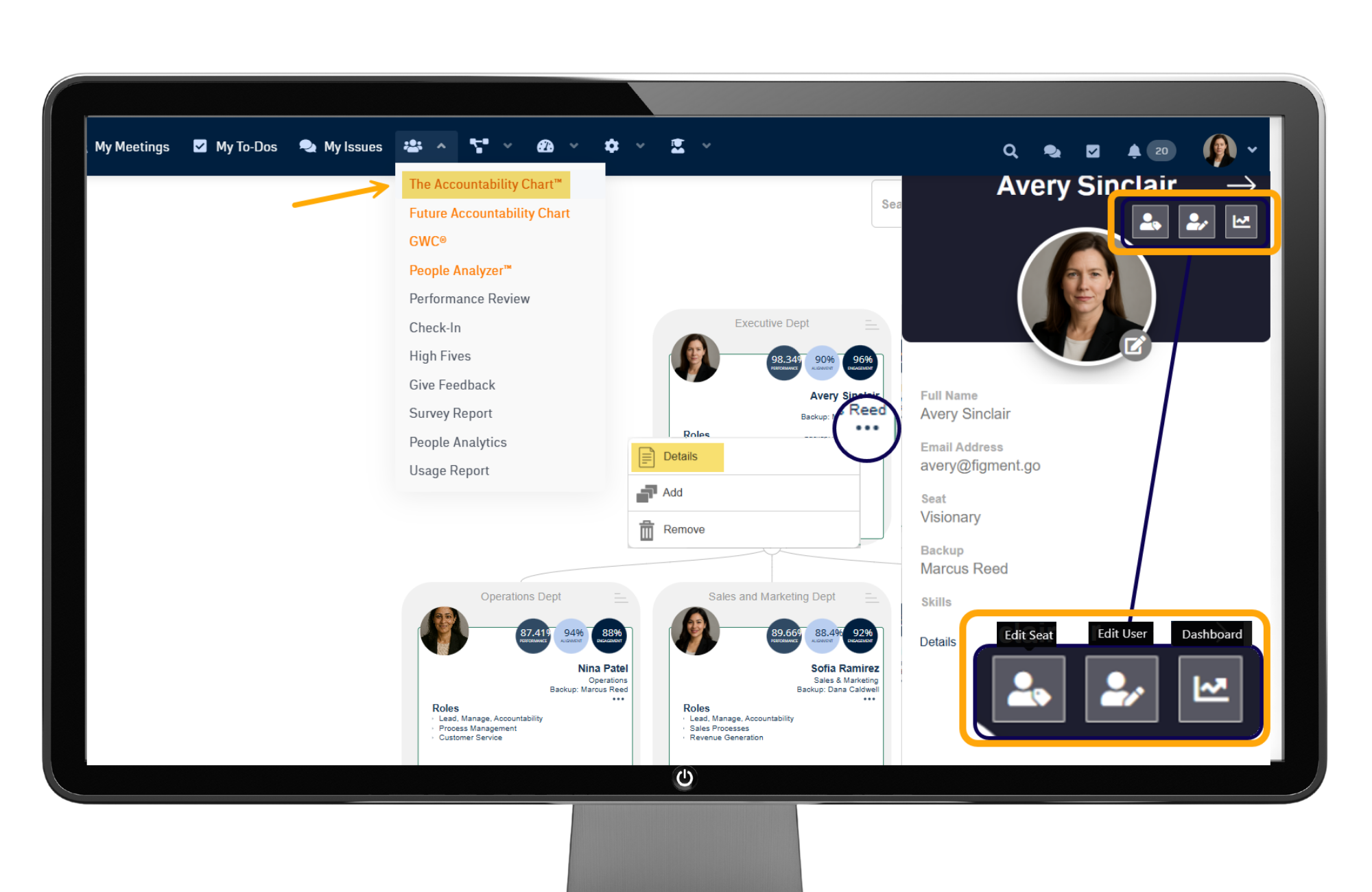
Selecting Details opens a slide-out panel where you can:
- View and update user information
- Assign or adjust their Seat
- Access their Individual Dashboard
From this same dropdown menu, you can also:
- Add a new user
- Remove an existing user tile
When a new user is added, their tile is automatically placed on the Accountability Chart™. If needed, you can remove it at any time using the same menu.ded, a tile is automatically created on the Accountability Chart™. To delete that tile, click the three dots on the tile and select Remove.
Tile Information
Each tile on the Accountability Chart™ gives you a quick snapshot of ownership and accountability, including:
- User’s name
- Assigned Seat
- Primary responsibilities
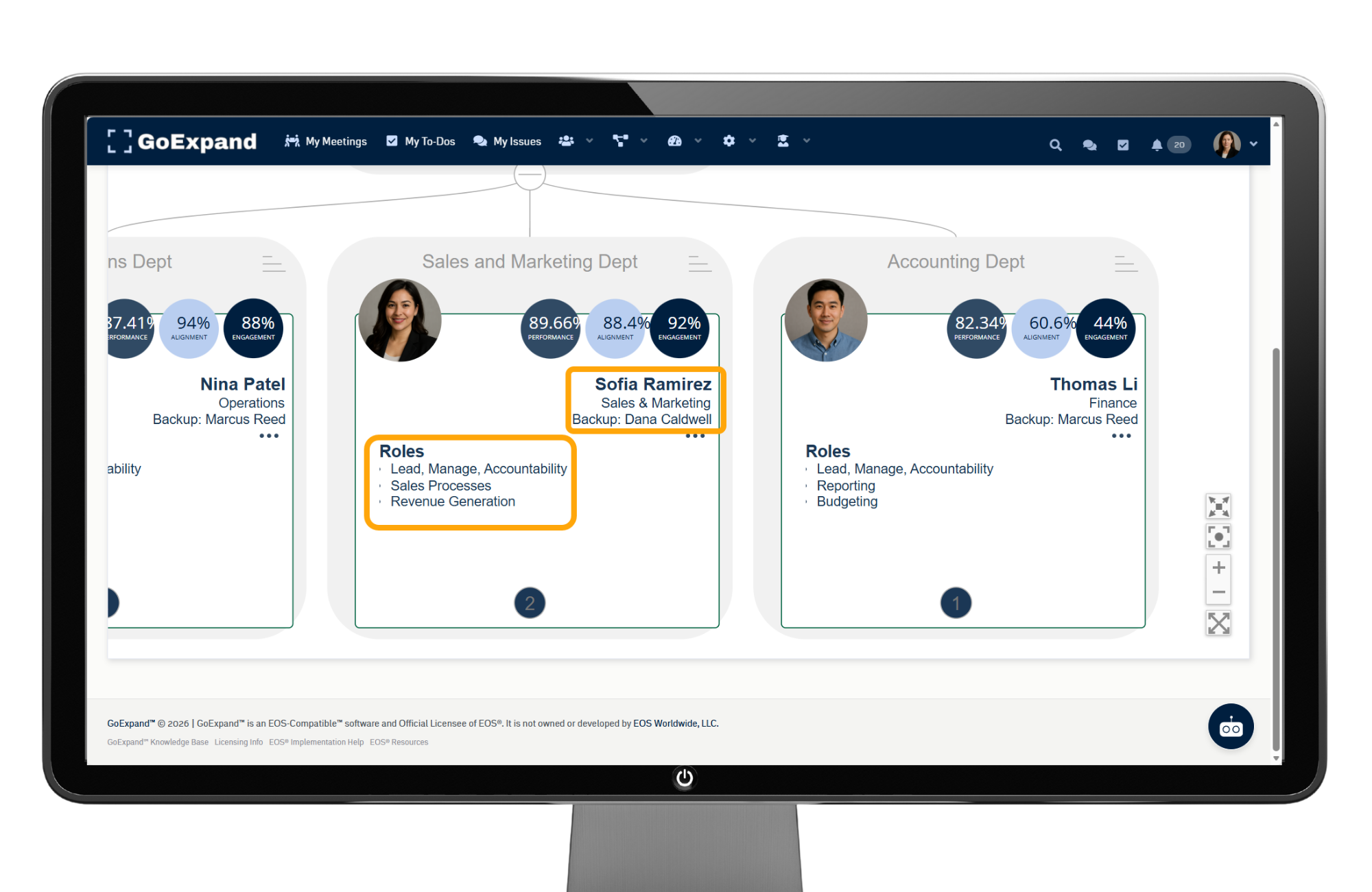
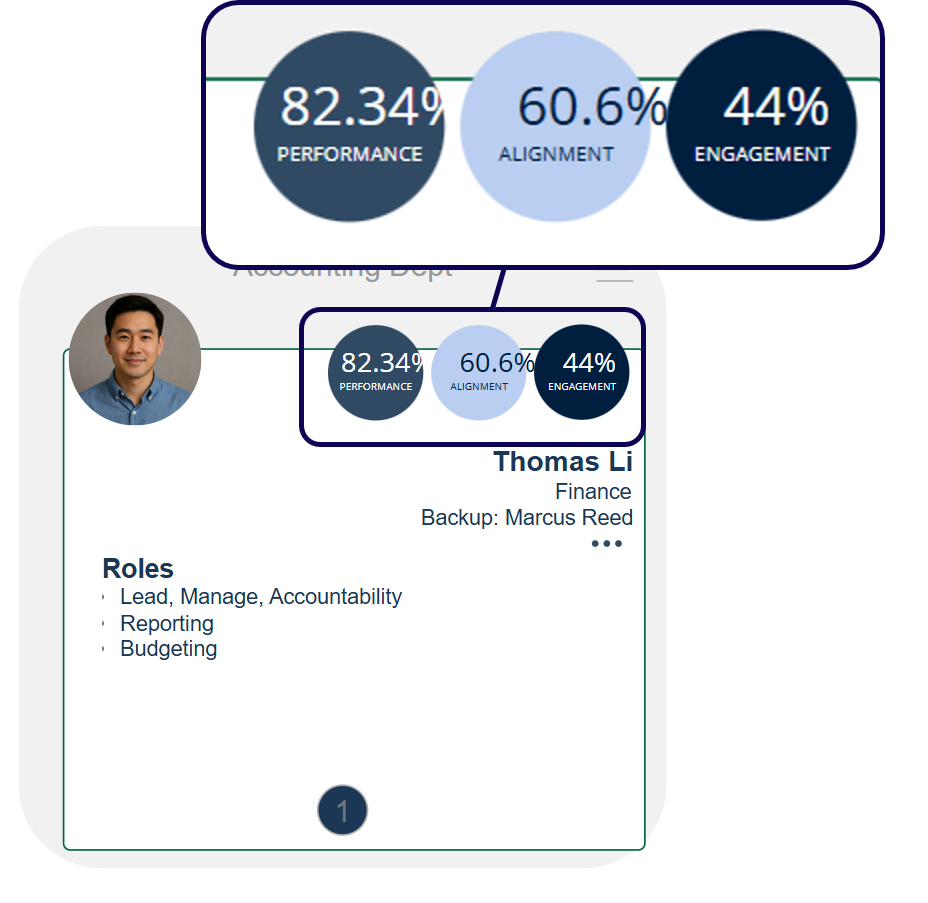
This makes it easy to understand who is responsible for what and how each role connects within the organization.
Additional performance indicators shown on each tile include:
- Performance Percentage – Reflects how consistently the user completes To-Dos and commitments, highlighting execution and reliability.
- Alignment Percentage – Shows how closely the user’s work aligns with company priorities, Rocks, and Metrics, ensuring focus on what matters most.
These real-time indicators, highlighted in the video walkthrough, help leaders quickly identify both high performance and areas that may need attention.
Moving Tiles
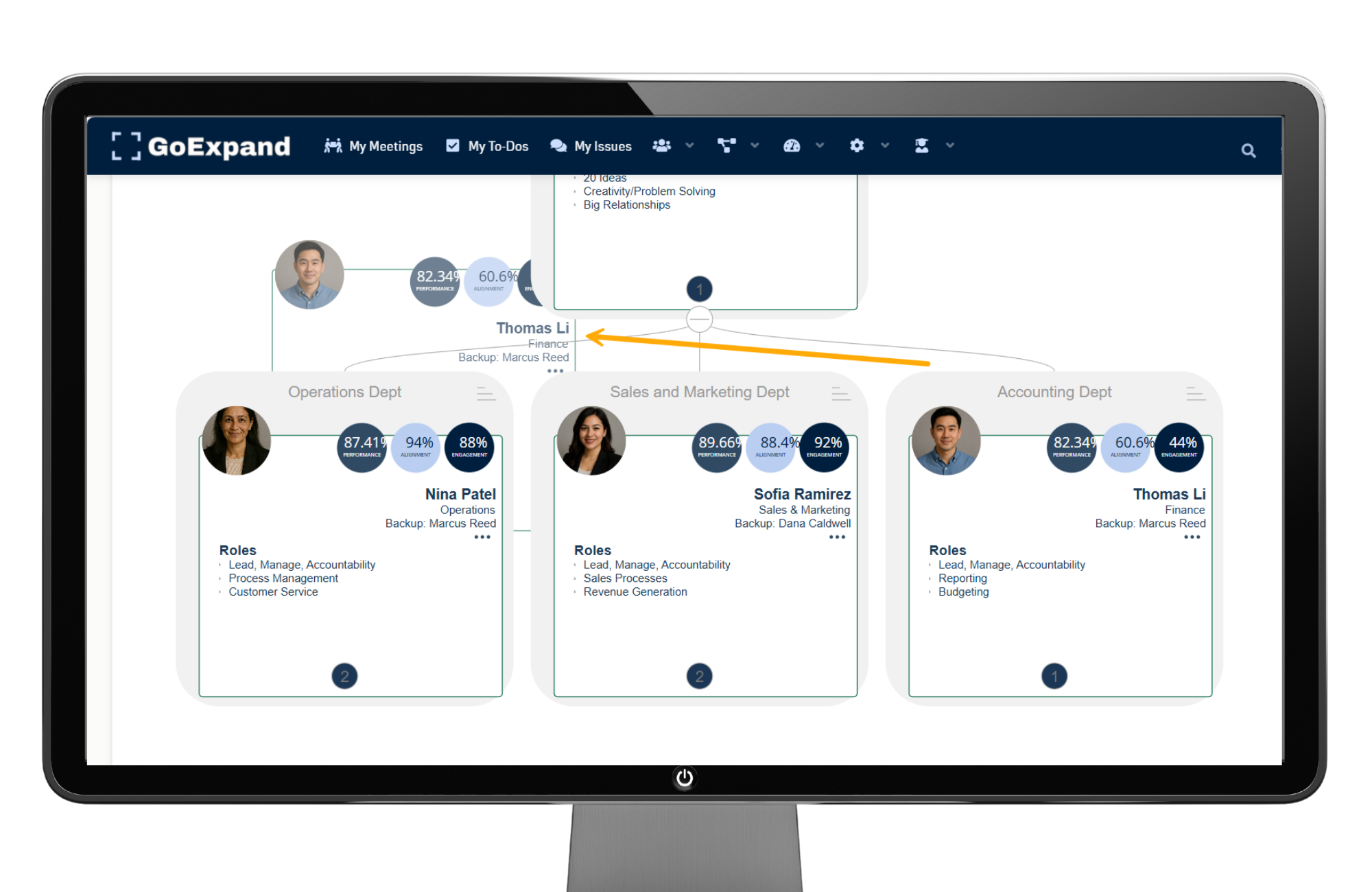
The Accountability Chart™ is fully interactive.
To update your organizational structure:
- Click and hold a tile
- Drag it to a new position
- Drop it into place to update reporting relationships
As shown in the video, changes save automatically—no extra steps required—making it easy to keep your structure current as roles evolve.
Quick Tips
- Focus on Seats, not people, to maintain clarity as your organization grows and changes.
- Use drag-and-drop regularly to reflect real-time reporting relationships.
- Review your Accountability Chart™ quarterly to ensure it aligns with current responsibilities and structure.
When used consistently, the Accountability Chart™ becomes more than just an org chart—it becomes a living system that drives clarity, accountability, and execution across your entire organization.
See full Knowledge Base training article here.
>Up Next: GoExpand V/TO™ Guide | Vision/Traction Organizer™ in EOS®
Further Reading
- Harvard Business Review — Define accountability clearly
https://hbr.org/2016/06/to-hold-someone-accountable-first-define-what-accountable-means - Harvard Business Review (PDF) — “Who Has the D?” decision-rights model
https://ceo.usc.edu/wp-content/uploads/2018/03/5-Who-has-the-D_HBR.pdf - Harvard Business School Online — Ethics & accountability at work
https://online.hbs.edu/blog/post/ethics-and-accountability-in-the-workplace - McKinsey — The limits of RACI (and better decision clarity)
https://www.mckinsey.com/capabilities/people-and-organizational-performance/our-insights/the-organization-blog/the-limits-of-raci-and-a-better-way-to-make-decisions - MIT Sloan — Redesigning work (roles & responsibilities)
https://mitsloan.mit.edu/ideas-made-to-matter/how-to-redesign-work-age-ai