Your GE Training Room is your centralized space for learning how to use the system, access resources, and build confidence using EOS® tools within the platform.
This is not a working meeting—it’s a guided environment designed to support your onboarding and ongoing training.
Accessing Your Training Room
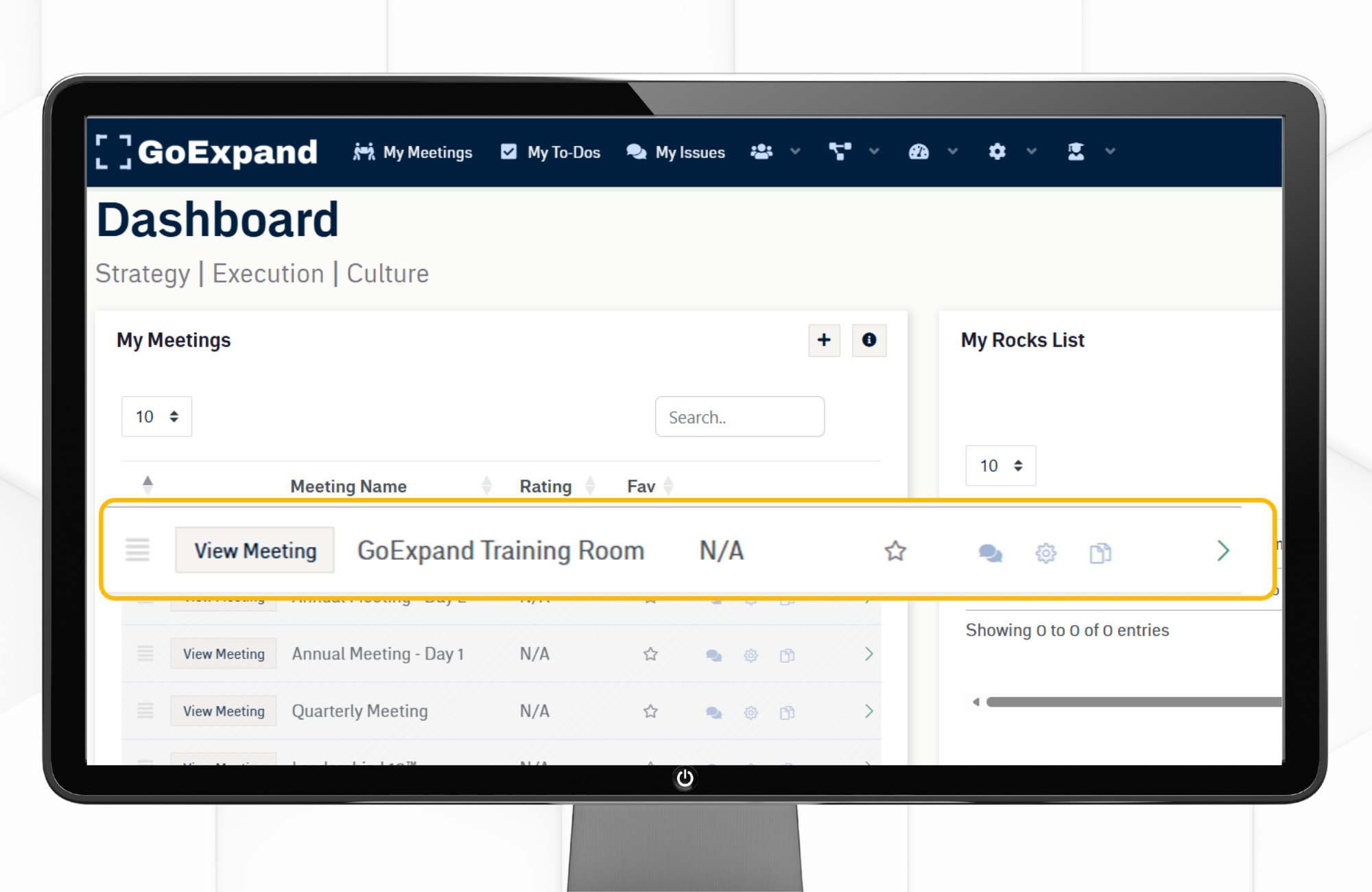
- From your Dashboard, select View Meeting to access the GE Training Room
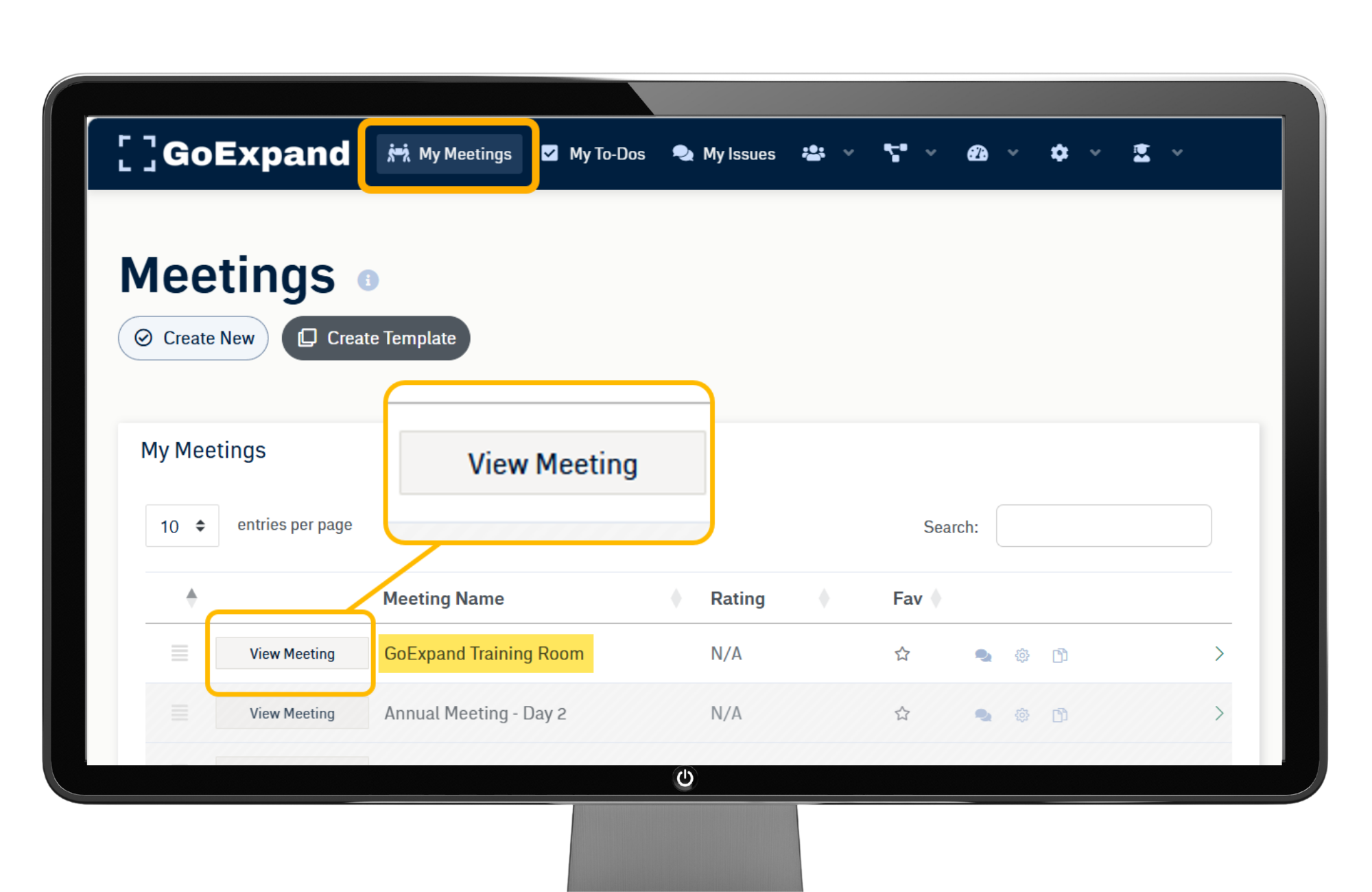
- Alternatively, go to My Meetings in the top navigation
- Click View Meeting to access the GE Training Room
👉 Tip: Favorite this meeting for quick access during onboarding ⭐
Agenda: Training Navigation
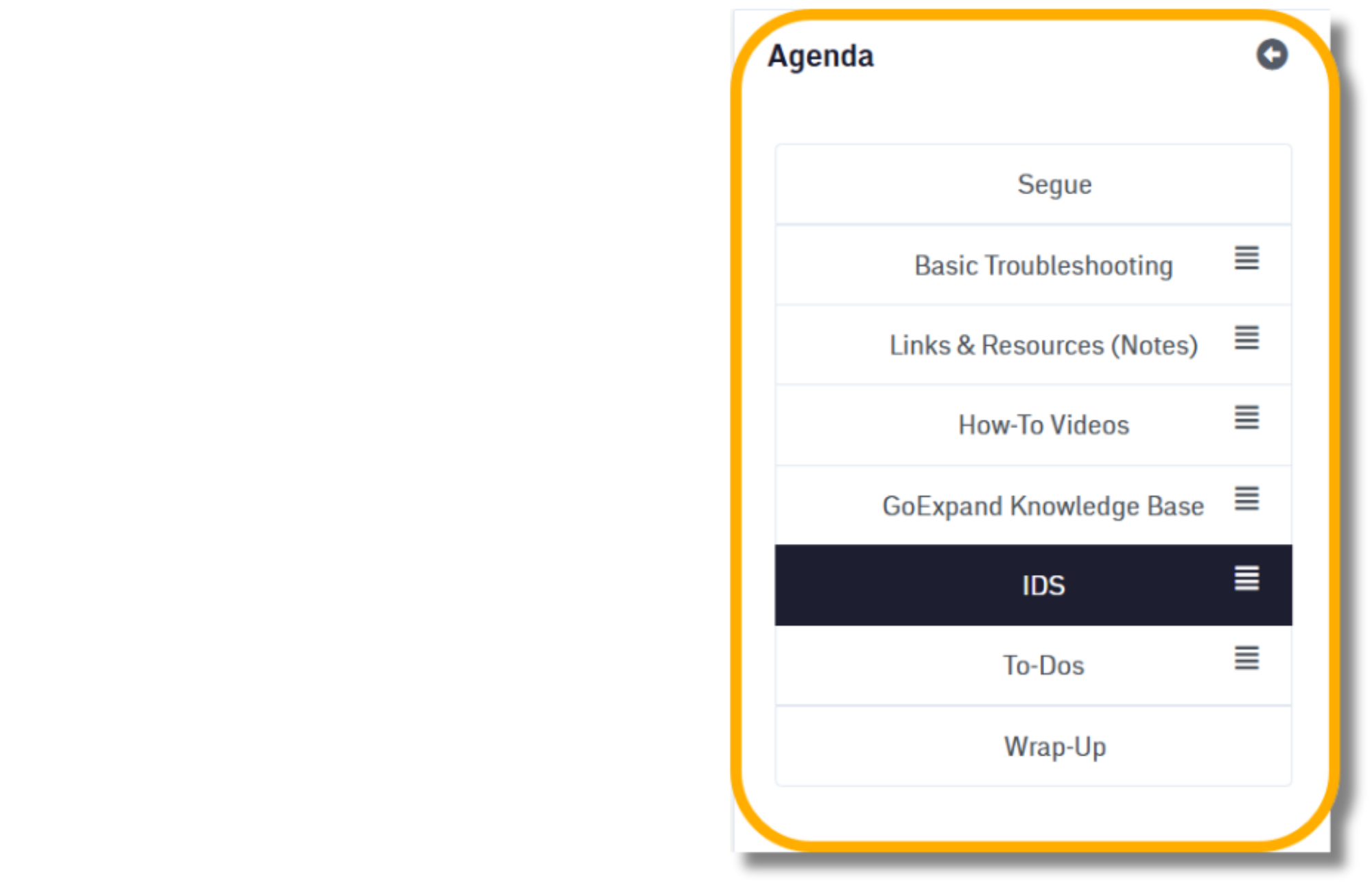
The left-hand Agenda acts as your training roadmap. Each section is designed to give you a specific type of support.
Agenda items of focus:
- Basic Troubleshooting
- Links and Resources
- How-To Videos
- GoExpand Knowledge Base
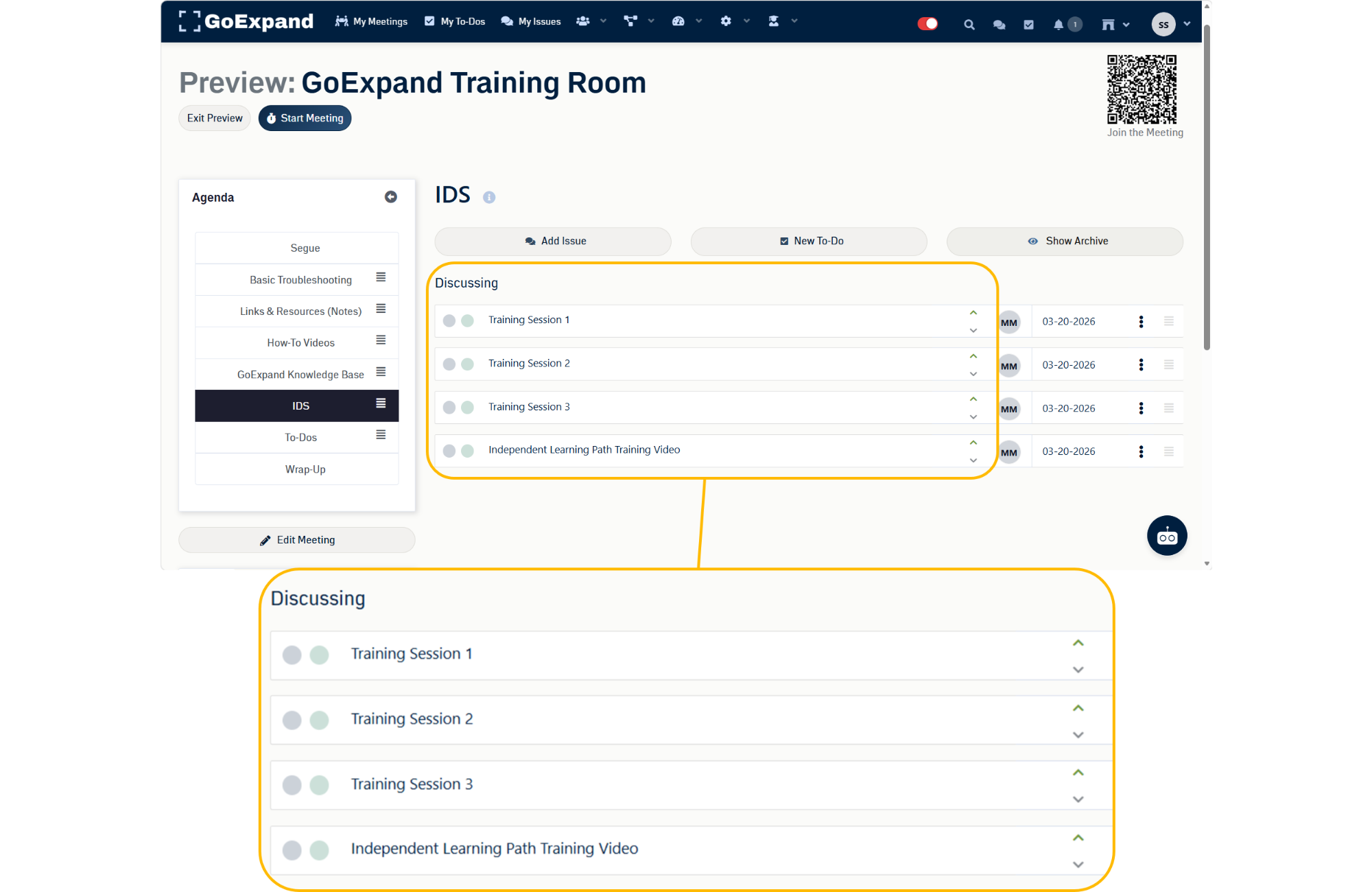
- IDS
→ Basic Troubleshooting, Links & Resources, How-To Videos and Knowledge Base
A collection of key materials and references.
- Important links to training documents
- How-to videos on key features
- Access to GoExpand’s full Knowledge Base
👉 Use this for fast access to what you need.
→ IDS
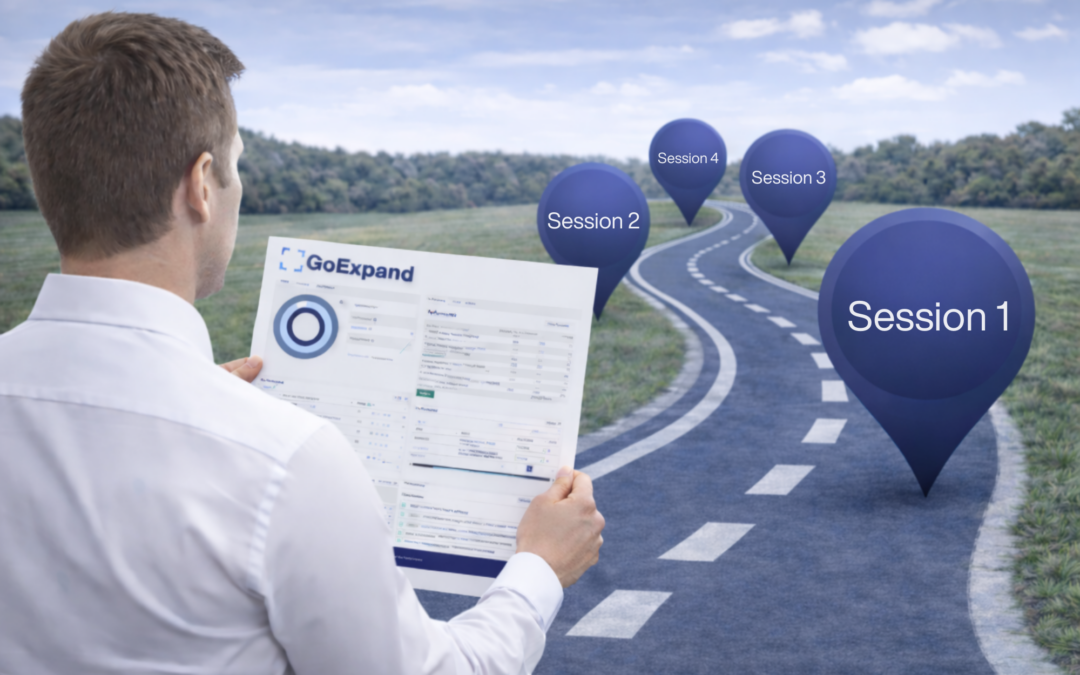
Our training roadmap broken down into sessions, so training doesn’t feel overwhelming.
- 3 training sessions that follow our training process
- Platform overview video for independent learning
👉 Full access to our training material for new users.
Key Takeaway
Your GE Training Room is your main source for training and support.
Use it to:
- Find answers quickly
- Learn the platform efficiently
- Stay organized during onboarding
👉 Simple. Structured. Built for traction.
See full training video: GoExpand Essentials Video Walkthrough