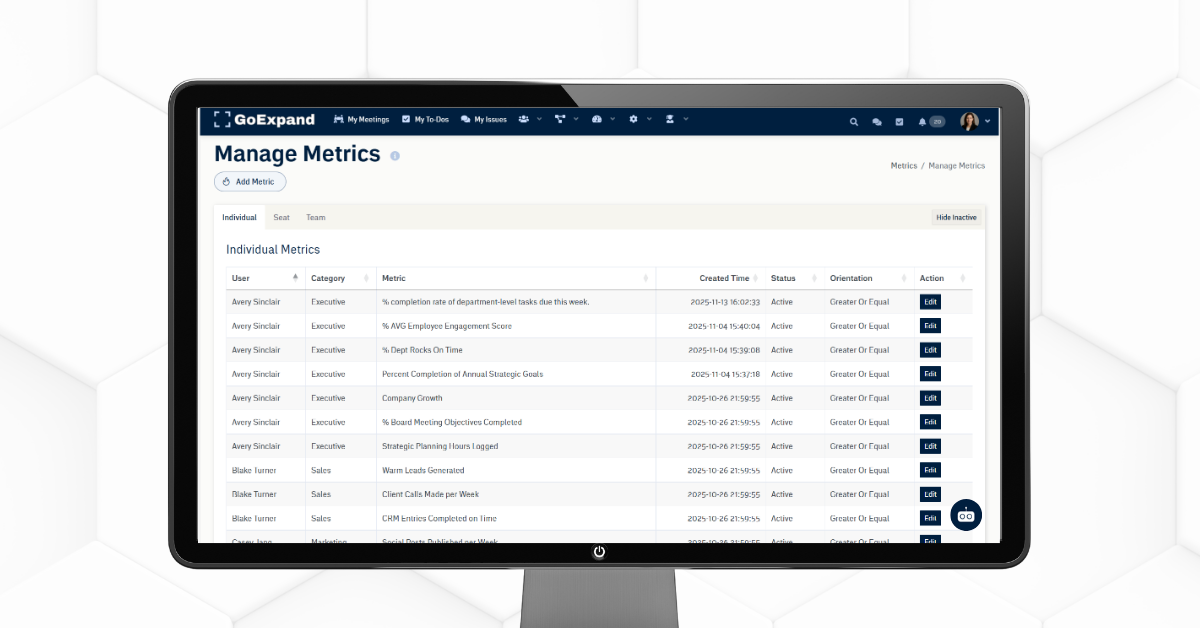
What is a Metric in GoExpand?
A Metric in GoExpand is a clear, outcome-focused measurement that defines what success looks like for a role, seat, team, or process — not how the work gets done.
Metrics help leadership teams stay aligned around measurable expectations and support accountability through the Scorecard and Level 10 Meetings™.
Add / Manage Metrics
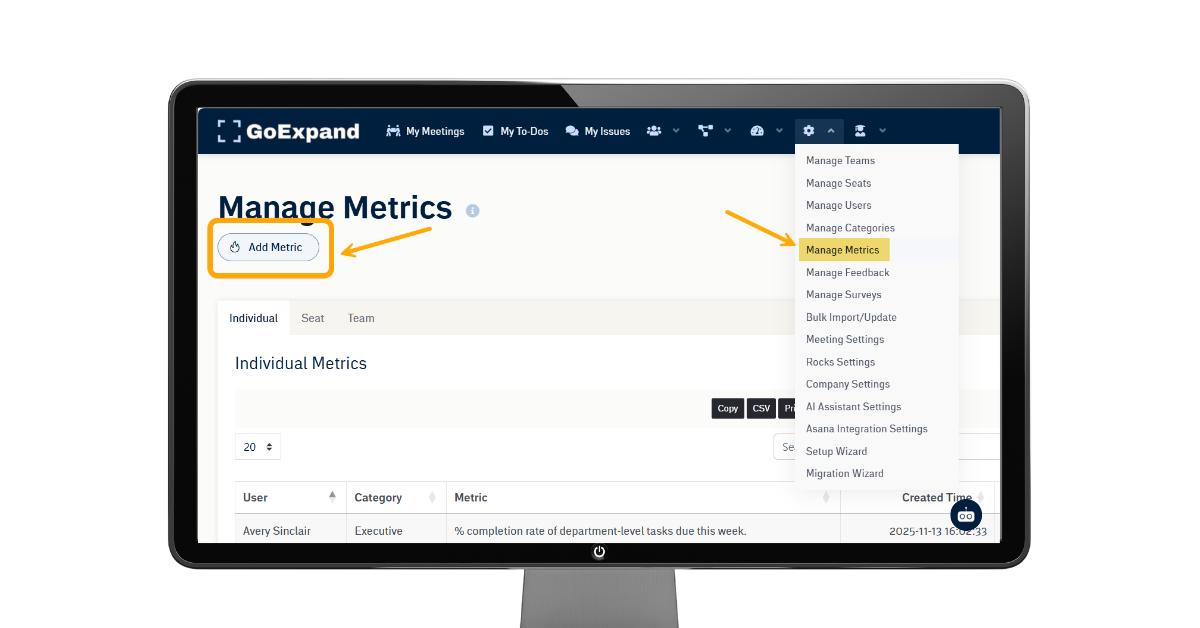
To add Metrics in GoExpand:
- Select Administration from the navigation menu.
- Choose Manage Metrics from the dropdown.
- On the next page, click Add Metric near the top left.
Fill in the Required Information
1. Select Metric Type
Choose whether the Metric will be:
- A numeric goal (measurable and data-driven)
- A scale goal (more subjective or rating-based)
2. Set the Metric Details
Enter the Value, then select:
- Units
- Orientation (greater than, less than, equal to, etc.)
- Frequency (weekly, monthly, quarterly)
- Description of the Metric
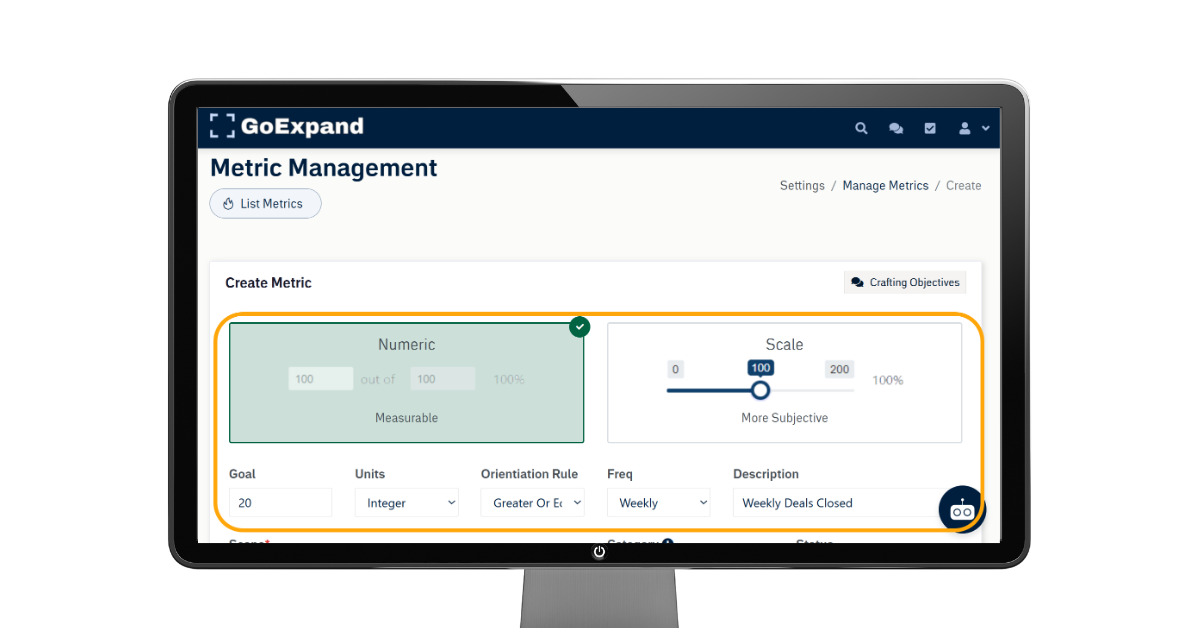
Individual Metric Example:
If Casey and Avery in Sales are expected to close 20 deals each week, the Metric would be set up like this:
Value: 20
Units: Integer
Orientation Rule: Greater or Equal
Frequency: Weekly
Description: Weekly Deals Closed
3. Assign the Scope
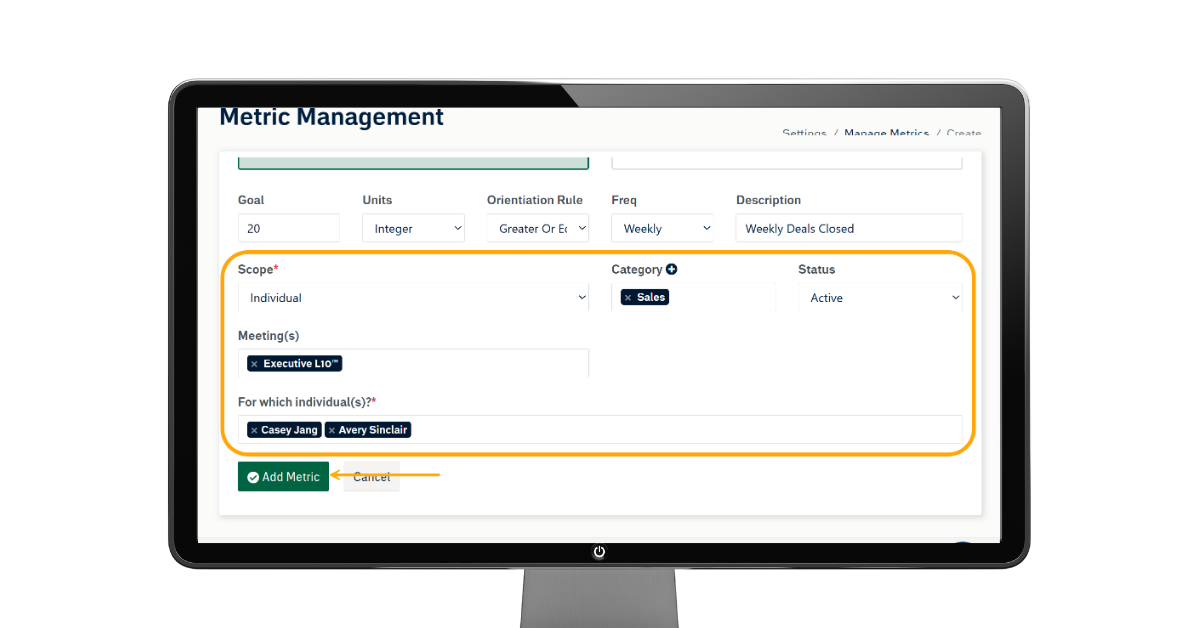
Note: GoExpand defaults to track Individual Metrics. If your team would like your Metrics to be tracked by Seat, please get with your GoExpand Support Team.
Select the scope of the Metric:
- Individual
- Seat
- Team
Then choose the corresponding Individual, Seat, or Team the Metric applies to.
Next:
- Select the Metric Category
- Choose which Meeting(s) you want the Metric to display in the Scorecard
Click Add Metric to complete setup.
Adding Metrics Inside a Meeting
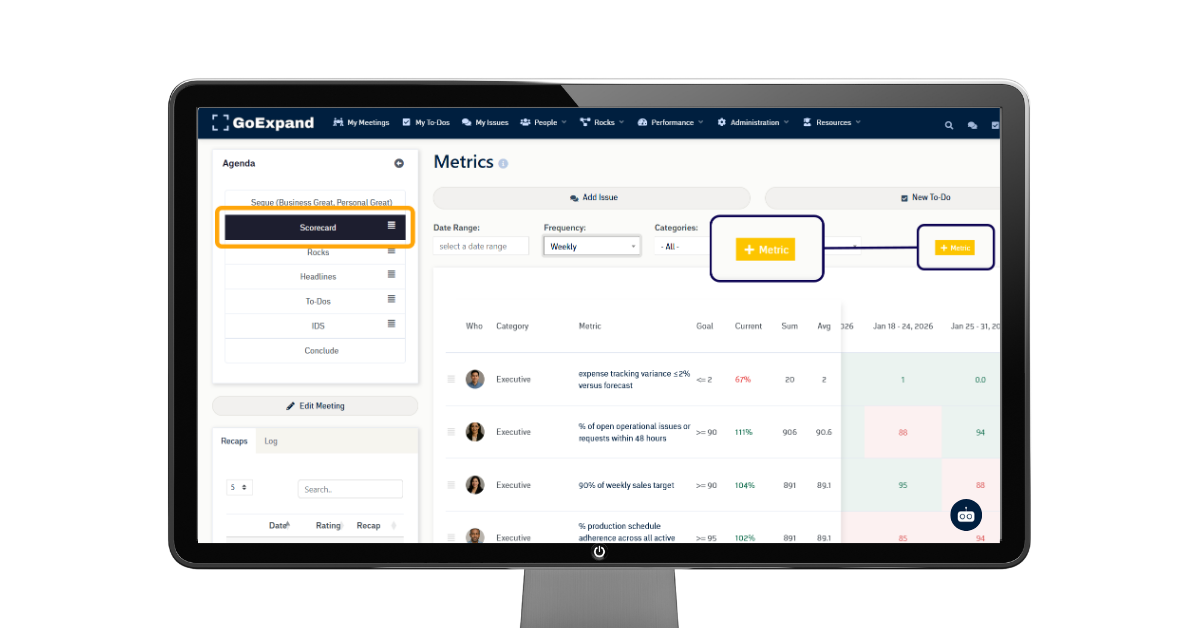
Metrics can also be added directly within a meeting:
- Open your Level 10 Meeting™
- Navigate to the Meeting Scorecard
- Select + Metric
This ensures your leadership team is tracking the right numbers and expectations inside the weekly meeting rhythm.
Metrics are a powerful way to connect performance expectations to execution, visibility, and accountability inside GoExpand.
See full training article here.
>Up Next: Create a Rock in GoExpand | Quarterly Priority Setup Guide
Learn more about KPIs and Business Performance:
Harvard Business School Online – How to Measure Your Business Performance
https://online.hbs.edu/blog/post/business-performance-measurement
Forbes Advisor – What Is a KPI? Definition & Examples
https://www.forbes.com/advisor/business/what-is-a-kpi-definition-examples
Investopedia – Key Performance Indicator (KPI) Definition